
In a previous article, we talked about the 3.5mm jack and why a piece of technology that looks simple can still become problematic over time. Not because it is badly designed, but because physical connectors live hard lives. They get plugged, unplugged, twisted, yanked, oxidized, filled with dust, and slowly worn down by the human race’s greatest engineering talent: using things carelessly.
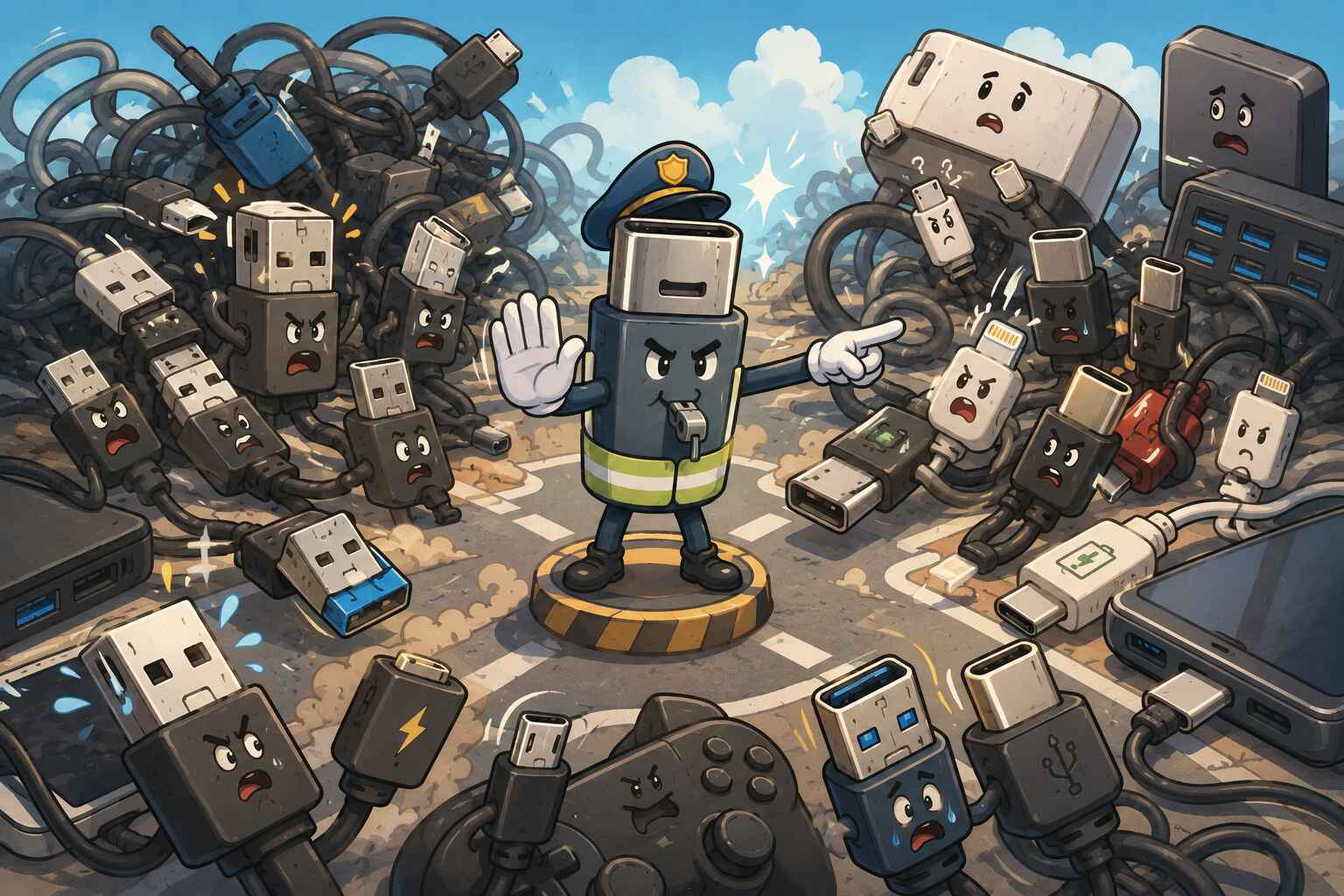
USB comes from the same world of physical connectors, but with a very different ambition. The 3.5mm jack was built to do one job. USB was built to do almost everything. And that difference matters.
Because if the 3.5mm jack is a specialist, USB is the overworked office employee who somehow became responsible for charging phones, connecting keyboards, transferring files, running printers, powering accessories, outputting video, and occasionally holding together civilization itself.
That is why USB is such a brilliant invention. And that is also why it still feels confusing.
USB was supposed to be universal. In many ways, it succeeded. It replaced a ridiculous amount of chaos. It made devices easier to use. It made plug-and-play feel normal. It made computers less hostile to ordinary people.
But in trying to become the one connector for everything, USB also inherited a terrible burden: the more universal it became, the more complicated it had to be.
So to understand why USB still feels messy, we first have to remember the nightmare it replaced.
Check out my other article: Bluetooth Latency Explained: The Gap Between Theory and Reality
Before USB, Connecting Peripherals Was a Circus
Younger users grew up in a world where plugging in a mouse, flash drive, or printer is so routine that it feels almost boring. You insert a cable, the device appears, and life moves on.
That was not always normal.
Before USB became the common language of peripherals, computers were a zoo of different ports and standards. You had serial ports, parallel ports, PS/2 ports, game ports, SCSI in higher-end setups, proprietary connectors for certain devices, and all kinds of variations depending on the machine and era. Even when two connectors looked similar, that did not always mean they behaved the same way.
Connecting a printer could feel less like setting up a device and more like performing ritual surgery.
Did you have the right port? The right cable? The right driver? The right settings? Did the operating system recognize it? Did you need to reboot? Was the printer even on the correct interface mode? If the answer to any of those was “no,” congratulations: your afternoon was gone.
This is what made USB revolutionary.
USB did not just introduce a new connector. It introduced a new philosophy:
- one broadly usable interface
- easier automatic detection
- hot-swapping
- simpler setup
- less user suffering per square inch
That is what made USB genuinely great. It took a fragmented, annoying, deeply unromantic reality and turned it into something much more practical. “Plug and play” sounds ordinary now only because USB helped make it ordinary.
So when people criticize USB for being messy, they are not wrong. But they are also judging it from the comfortable world USB helped create.
USB 1.0: The Start of a Good Idea
USB 1.0 arrived in the late 1990s with a mission that now sounds almost humble: reduce port chaos.
Its early speeds were modest, and by today’s standards almost prehistoric, but speed was not really the most important thing at the time. The bigger achievement was standardization. Instead of every peripheral demanding its own little kingdom, USB offered a shared framework.
This mattered because computing was becoming more consumer-oriented. PCs were no longer just for enthusiasts willing to wrestle with settings menus like they were decoding military secrets. More normal people were using computers, which meant the experience had to become less ridiculous.
USB 1.0 was not perfect. Adoption took time. Many systems still lived in the old port ecosystem. But the direction was clear: one connector family, broader compatibility, simpler setup.
That was the beginning of USB’s identity. Not speed first. Simplicity first.
USB 2.0: The Standard That Really Took Over
If USB 1.0 planted the flag, USB 2.0 built the empire.
This was the version that truly made USB feel unavoidable. It was faster, good enough for a huge number of everyday devices, and arrived at the right time. Suddenly USB was not just for low-demand accessories. It became the default interface for flash drives, printers, cameras, phones, keyboards, mice, external storage, and basically every gadget manufacturer looking for one sane answer.
USB 2.0’s biggest strength was not that it was glamorous. It was that it was practical.
It was fast enough for mainstream needs. Cheap enough to spread everywhere. Mature enough that people stopped thinking about it. And that is often the highest form of technological success: becoming boring.
When a standard becomes invisible, it means it is doing its job.
USB 2.0 is also where USB really earned its reputation as “universal.” Not because it solved every problem forever, but because it was the first version that felt broadly dependable in ordinary life.
Of course, this is also where the future trouble quietly began. Once a standard becomes successful enough, everyone wants to use it for more things than it was originally designed for.
That is how simplicity starts to crack.
Mini USB: The Unwanted Child
Then came Mini USB, which now feels like one of those evolutionary steps that made sense at the time but didn’t age very well. Why did it exist? Because devices were getting smaller.
As cameras, MP3 players, and early portable electronics became more compact, the full-size USB connector was simply too big. Mini USB was the industry’s first serious attempt to shrink the interface without completely breaking compatibility with existing USB standards.
And for a while, it worked. But Mini USB had a fatal flaw: durability.
With an average lifespan of around 1,000 insertion cycles, Mini USB ports were far from resilient. Over time, users started experiencing:
- loose connections
- intermittent charging
- devices randomly disconnecting
- ports that simply stopped recognizing cables altogether
This wasn’t just bad luck—it was the result of physical wear on the internal pins and connector structure. Mini USB was smaller, but not robust enough for heavy daily use. So while it solved the size problem, it introduced a new one: It wasn’t built to survive how often people actually used it.
And in a world where devices were becoming more personal and more frequently charged, that was a serious limitation.
Micro USB: Another Unwanted Child
Then came Micro USB, the connector that truly took over the mobile era—and also tested everyone’s patience.
Micro USB was designed to improve on Mini USB:
- smaller form factor
- better durability (rated around 10,000 insertions )
- more suitable for smartphones and portable devices
And to be fair, it succeeded. It became the default connector for Android phones, power banks, Bluetooth accessories, and countless other devices for years. But it came with its own very human problem: It was annoying to use.
Unlike USB-C, Micro USB was not reversible, which meant users constantly had to check orientation before plugging it in. In theory, that’s not a big deal. In practice, it meant:
- trying to plug it in
- failing
- flipping it
- somehow still failing
- and finally getting it right on the third attempt
Every. Single. Time.
And then there’s the infamous internal “teeth” design .
Micro USB connectors rely on a small internal plastic tongue with exposed contacts. While this design enabled compact size and improved electrical performance, it also introduced:
- higher sensitivity to wear
- increased risk of physical damage
- a more fragile connection point compared to larger connectors
Over time, this led to:
- loose ports
- wobbly connections
- cables that only worked at a certain angle (everyone has been there)
So while Micro USB was technically an improvement over Mini USB, it still carried a fundamental issue: It was designed for compactness and capability… but not for effortless everyday use.
USB 3.0: Speed Changes Everything—and Complicates Everything
If USB 2.0 made USB mainstream, USB 3.0 made USB more ambitious. The goal now was not just broad compatibility. It was speed.
As external drives got bigger, file transfers heavier, and peripherals more demanding, the old “good enough” approach started to crack. USB had to carry more data, faster. USB 3.0 answered that by significantly increasing throughput.
But performance always comes with consequences.
More speed means more complexity in signaling, hardware design, cables, ports, controllers, and compatibility layers. Suddenly USB was not just a simple everyday connector anymore. It was becoming a platform.
And that is the moment where many standards start losing their innocence.
This is also where USB naming began to feel like it was designed by people who had a personal grudge against clarity. Rebranding, version overlaps, “Gen” labels, and inconsistent consumer messaging turned something already complex into something needlessly confusing.
From an engineering perspective, the progression made sense. From a user perspective, it felt like reading patch notes written by a lawyer.
USB-C: The Best Connector Yet—and Still Not Truly Universal
Then came USB-C, which at first looked like the long-awaited ending to the story. And to be fair, in many ways it is the best physical USB connector we have ever had.
It is smaller. Reversible. More elegant. Better suited for modern thin devices. No more forcing users to flip the connector like they are trying to solve a tiny metal puzzle under pressure.
Physically, USB-C is close to ideal. But here is the catch that confuses so many people: USB-C is a connector shape, not a full promise of capability.
This is the source of enormous misunderstanding.
A USB-C cable may support:
- charging only
- data transfer
- charging plus data
- high-speed data
- video output
- high power delivery
- some combination of the above
Or not.
A USB-C port on one laptop may support charging, display output, and high-speed transfer. Another USB-C port may only support basic data. A cable that looks identical to another cable may behave completely differently.
This is why USB-C feels both modern and suspicious. It solved the physical annoyance of older connectors, but it did not magically erase the complexity behind them. It simply hid much of that complexity behind one cleaner shape.
So yes, USB-C is almost ideal. But it is not “truly universal” in the way most people imagine. It is more like a universal doorway that leads to wildly different rooms.
The Cable Is the Real Main Character
This is my favorite part of USB because it reveals how much of modern tech frustration is caused by things that look deceptively simple.
People often think the device is the main event. The phone, the laptop, the tablet, the charger.
No.
In the USB world, the cable is often the real protagonist. Or villain. Depends on your luck.
Two USB-C cables can look almost identical and do very different things:
- one only charges
- one charges and transfers data slowly
- one supports high-speed transfer
- one can carry video
- one supports higher power levels
- one silently bottlenecks everything
That is because cables are not just passive ropes with metal ends. Their internal wiring, shielding, quality, supported standards, and sometimes embedded electronics all affect what they can do.
This is why one cable charges your phone quickly, another charges it slowly, another refuses to charge your laptop properly, and another works with an external monitor while the first three act like monitors are fictional.
The cable is not just connecting the experience. It is defining it.
And because manufacturers often do a terrible job labeling cable capabilities clearly, users are left in a guessing game. The result is a world where one of the most important components in the chain is also one of the least transparent.
That is not ideal for something carrying the word “universal.”
Data, Power, and the Great USB Identity Crisis
Part of USB’s complexity comes from the fact that it is trying to be several things at once.
At minimum, USB often deals with two major jobs:
- data
- power
Sometimes both. Sometimes one more than the other. Sometimes both, but badly.
A cable designed mainly for charging may not be built for high-speed data transfer. A cable that handles data may not handle high wattage well enough for larger devices. A port may support one function fully and another only partially.
Then we get into charging itself, which is a whole universe of negotiation.
There is basic charging. Faster charging. Much faster charging. Standards-based charging. Brand-specific fast charging. Voltage and current profiles. Device-to-charger communication. Safety limits. Heat considerations.
This matters because fast charging is not just “more electricity goes in faster.” Devices, chargers, and cables often need to agree on what is safe and supported. If one part of that chain is limited, the whole experience changes.
Then proprietary charging systems enter the chat and make everything more fun in the worst possible way. Technologies like VOOC and similar approaches can deliver impressive charging performance, but they also show the tension between universal standards and brand-specific optimization. A company wants better performance for its own devices. That can benefit users inside that ecosystem, but it also weakens the dream of one truly universal charging experience.
So even when the connector is the same, the charging reality may not be.
This is not just a branding issue. It is the direct result of trying to turn one connector family into the delivery system for everything from simple accessories to power-hungry laptops.
The Hidden Trade-Offs Behind USB’s Success
USB feels messy because it is the product of trade-offs, not perfection.
Flexibility vs Simplicity
The more things USB can do, the harder it becomes to explain simply. A connector that can handle keyboards, storage, charging, displays, and more is incredibly flexible. But flexibility creates ambiguity.
Backward Compatibility vs Clarity
Users want new devices to work with older accessories. That is reasonable. But maintaining compatibility across generations means the ecosystem carries history with it. And history is heavy. Every layer preserved for convenience adds another layer of confusion.
Universal Standard vs Real-World Mess
A standard on paper is one thing. Real products made by hundreds of manufacturers are another. Corner-cutting, inconsistent implementation, vague labels, cheap accessories, and proprietary extensions all turn a clean standard into a messy reality.
USB is not confusing because its goals were bad. It is confusing because its goals were enormous.
Can USB Ever Become Truly Universal?
Maybe not in the pure fantasy sense.
If “truly universal” means one connector, one cable, one behavior, zero ambiguity, then probably no. The modern device ecosystem is too broad, too demanding, and too commercially fragmented for that kind of perfection.
But if “universal” means one connector family that can carry an absurd range of tasks across an absurd range of devices better than anything before it, then USB is already the closest thing we have.
That is the strange truth at the center of this whole story. USB feels complicated not because it failed completely, but because it succeeded so broadly that it had to absorb more and more roles. It became the connector for a world that kept demanding more from it.
And that may be the final lesson of USB.
The dream of universality sounds simple. The engineering of universality is not.
USB did something remarkable. It made modern computing far less annoying than it used to be. It replaced a jungle of ports. It made plug-and-play normal. It made millions of peripherals easier to live with.
It just never got to be simple forever. Because the moment one standard tries to do everything, it stops being just a connector.
It becomes a compromise machine.
